

What to Do With Your Photos When You Replace Your Phone
Check originals, recent uploads, videos, shared albums, and an independent copy before erasing your old phone or completing a trade-in.
Before replacing a phone, identify where your photo originals live, make a checked independent copy of important media, and verify the new phone's collection before erasing the old one. Keep the old phone and its account access available until the handoff is understood. A successful sign-in and a screen full of thumbnails are useful signs, but they are not a complete transfer check.
The smallest useful action today is to find one older picture, one recent picture, and one video on the old phone. Determine whether each is stored locally, available through a service, or part of a collection someone else owns. That sample reveals which routes the larger handoff needs.
Establish what is actually on the old phone
Your visible library can combine several sources. It may contain local camera originals, cloud items with optimized local previews, shared albums, downloads, screenshots, and pictures saved from messages. These groups may move differently when you sign into a new device.
Check the account associated with the main library. A new phone signed into a different account may show a different collection even when its owner uses the same email app. A shared family album can also depend on another person's ownership and sharing settings.
Identify pictures that never entered the intended service. An interrupted upload, full account storage, paused sync, or unsupported location can leave recent items on the old device alone. Check actual status and source coverage rather than assuming an upload setting has always worked.
Record the important collections and their route. You do not need an item-by-item inventory for ordinary daily snapshots, but you do need to know whether old folders, message attachments, and special scan projects exist outside the main library. A migration focused only on the camera roll can miss them.
Do not change sync settings or delete pictures while you are still learning this structure. Keep the source stable, charge the phone, and allow necessary downloads or exports to finish through supported methods.
Distinguish a new device view from a completed migration
Signing into a synchronized service can make years of photographs appear quickly. Some items may remain online until opened or downloaded. That can be perfectly suitable for daily browsing, provided you understand the access and recovery dependencies.
A device-to-device transfer can move local content, but its exact coverage depends on the platforms, software, and chosen method. Do not infer coverage from the transfer's name alone. Consult the manufacturer's current instructions for the devices involved.
A separate export can preserve original media as ordinary files, while leaving some application-level organization behind. Apple's iCloud copying documentation describes supported ways to obtain content; Google Photos download guidance explains downloading and timestamp considerations. Use the route appropriate to your existing collection.
The decision is not whether cloud access or local transfer is universally better. It is whether your chosen handoff gives you the photographs, videos, quality, and context you actually need, with a recoverable copy before the old source goes away.
Build a pre-handoff checklist around your collection
Choose checks based on what could be missed. Older pictures test long-term coverage. Recent pictures test whether the latest capture cycle finished. Videos test a different media type. Edited photographs and special formats test whether the result preserves the version you expect.
Sample | Question it answers | What to inspect |
|---|---|---|
Old family photograph | Does the earlier collection remain accessible? | Image opens at useful quality and correct context |
Recent photograph | Did the last upload or transfer include new material? | Actual item appears beyond the old device |
Video | Did moving media preserve usability? | Playback, sound, beginning and end |
Edited photograph | Which version came across? | Original and edited appearance when both matter |
Shared-album picture | Does access depend on another person? | Ownership, quality, and allowed download route |
Scan or message attachment | Is it outside the camera library? | Source location and intended destination |
This is a representative check, not proof that every file is present. For an important export, also compare scope, counts, and transfer reports. Those checks can reveal discrepancies, while opening samples assesses readability.
Write any unresolved question down before continuing. A checklist item marked unknown should not become passed merely because the new device looks attractive and the trade-in deadline is approaching.
Make the independent copy before the deadline
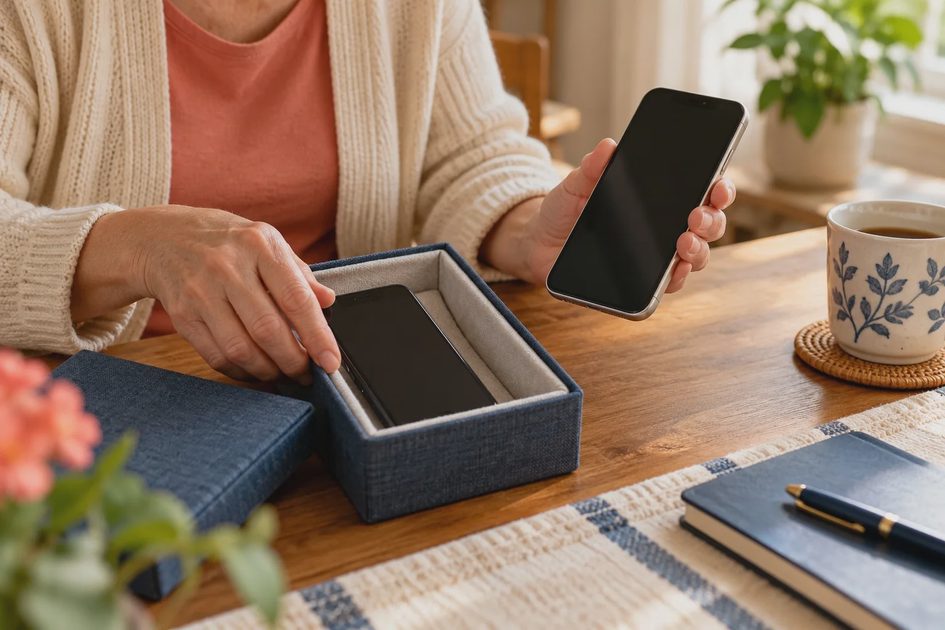
A trade-in or return deadline creates pressure to erase the old device. Start preservation work early enough to allow downloads, transfers, and corrections. Large videos and cloud originals can take longer than the setup wizard suggests.
Use a supported original export or backup route to a destination you can inspect. If a laptop receives cloud originals, confirm they are actually downloaded. A shortcut or placeholder in a folder may not be a usable offline copy.
Keep the export separate from an actively synchronized collection when its purpose is independent recovery. An export reimported into the same service can become another managed copy with the same account and deletion behavior. Preserve a clear destination and record what it contains.
Check enough free space for the source downloads, export output, and any temporary work. An optimized phone library may occupy less local space than the full originals. If the phone cannot hold them all, use a supported computer or service export route rather than forcing a local download that cannot fit.
Do not delete unfamiliar metadata or sidecar files to simplify the export. Some service-specific descriptions may reside outside the image file. Keep the delivered structure until you understand what the files mean and which information you want to retain.
A modeled replacement with a partly uploaded weekend
Imagine a household changes phones on Monday after a weekend trip. The old phone shows 190 new images and eight videos. The main cloud collection already contains earlier years, but the weekend upload has not finished. These are hypothetical inputs, not an actual test report.
The new phone signs into the service and displays the older collection. That confirms account access, but it does not confirm that the weekend material reached the service. The household checks several recent items and discovers that the final afternoon and two videos are absent.
The old phone remains charged and connected through the supported upload route. The adults also make an independent copy of the trip media. They inspect the export, including the two missing videos, before treating those files as preserved. No claimed transfer speed or saved time is invented.
After the service reports completion, they compare recent coverage again on the new phone. They open representative pictures and play videos. The transfer report, event coverage, and sample checks provide complementary evidence. None of them alone proves that every item throughout years of history is perfect.
Only after the handoff and recovery copy are checked do they follow the manufacturer's current erasure and account-removal instructions. If a deadline prevents completing the checks, they change the handoff schedule where possible rather than erase the sole known source of the missing material.
Keep original quality separate from sharing convenience
A picture received through a message can look fine on a phone while differing from the sender's original file. A shared album can also provide a different version or resolution from the personal library. Check the actual source when you want to preserve an important image for printing or future editing.
Ask the owner for an original-quality transfer through a suitable route if that matters. Do not demand original files for every casual image; align the effort with the value and intended use. A low-resolution copy can still be meaningful when it is the only version available, provided its limitation is recorded honestly.
For edited photographs, decide whether the original, the edited appearance, or both should survive. Export settings can treat these differently. A restored original does not necessarily reproduce the exact crop or color treatment visible in the old application.
Special media can involve more than one component. A motion photo or similar format may require associated still and video data, depending on the platform. Use supported export guidance and test the result in the environment where you expect to view it. Do not discard a companion file just because it shares a similar name.
Remember that a backup of readable media and a backup of library organization may be separate jobs. If albums and captions are important, investigate their migration explicitly rather than assuming pictures alone carry everything.
Check dates without confusing download time and capture time
A new export can receive a new filesystem creation or modification timestamp. That timestamp can reflect the download event rather than when the camera took the photograph. Google documentation notes this distinction, so avoid interpreting every newly dated file as a new photograph.
Inspect embedded capture information and the application timeline for representative known events. If a familiar holiday appears on the wrong day, compare source metadata and display settings before applying a bulk correction. Time zones and camera-clock errors can complicate the picture.
For scanned photographs, the scan date may be correct as a capture event while the historical subject belongs to an approximate earlier year. Preserve both meanings when practical. An invented exact timestamp does not improve the historical record.
Keep exports in a clearly identified batch until the date behavior is understood. A premature automatic folder sort can scatter related pictures according to download timestamps and make the handoff harder to verify.
Avoid turning verification into a duplicate import
A new phone may already display the service library before you import a separate export. Importing that export again can create redundant items or confuse the distinction between original and edited copies. Keep the preservation export outside the everyday library while you verify it, unless you have a specific migration reason to import it.
If changing platforms requires an import, test one small batch first. Check date handling, special media, captions, and duplicate behavior in the destination. Retain the source batch and record how many files were selected, which ones were skipped, and what the destination reported. A different item count can reflect supported components or grouping, so investigate rather than treating every difference as either loss or success.
Use a separate event album or test library where the platform supports one. Do not mix several transfer methods at once and then try to infer which produced the new items. One route at a time makes errors easier to diagnose. Once the test meets your needs, repeat that same route for the larger collection and check its results before retiring the old source.
Verify the new phone through normal family use
Use the route you expect to use later, not only the setup wizard's preview. Find a photograph by its event, open a recent video, and check a favorite album. Confirm that the right account and sharing relationships remain available.
If offline viewing matters for travel or a gift, test an appropriate downloaded sample while disconnected. Online visibility does not prove offline availability. Download only what your storage and needs support, following the platform's current controls.
Check whether another authorized household member can still reach shared material. A phone change can reveal that sharing depended on a former account, old link, or local collection that nobody else had. Correct the relationship while the source is still available.
Record what remains different. A new platform may not reproduce every face grouping or edited view. Those differences should be evaluated against the actual purpose. If originals and important context are retained, a new browsing arrangement can still be usable without pretending the experience is identical.
Erase the old device only after the source role ends
Erasure should follow verified preservation and the manufacturer's current device-transfer instructions. Account removal, device unlinking, factory reset, and deleting library items are different operations. Do not use deletion from a synchronized photo library as a substitute for preparing a phone for transfer.
Before the destructive step, confirm the independent copy, account access, and remaining local-only content. Check documents, notes, authentication needs, and other material through their appropriate handoff processes as well. This article's photo checks do not certify the rest of the phone.
If the old phone is staying in the household, decide whether it remains an active synchronized device or a retired source. Label its role in the inventory. A retired device that can no longer be opened is not a dependable sole archive, even if it still physically contains files.
Keep a short handoff record with the date, source account, export destination, and unresolved limitations. It can help explain later why a picture appears in one collection but not another. Store sensitive access details separately.
Replacing a phone is a good opportunity to make the collection more understandable, but it need not become a complete photo-cleanup project. Protect the originals, check the actual handoff, and let the old source go only when its useful contents have a clear future.
Comments
No comments yet — be the first to share a thought.