

What Belongs in a “To Sort” Folder—and What Does Not
Keep a To Sort folder useful with clear pending questions, protected records, separate deadline reminders, and small reviews that leave resumable decisions.
A To Sort folder should hold files with an unresolved filing question. It should not become the place where deadlines, passwords, and already understood documents disappear. Give each pending item a reason to be there and a next review point. When a file has a known home, save it there directly.
Begin by opening five items from the folder. For each, ask what decision remains: identify the owner, compare versions, determine continuing value, or find the right subject location. If you cannot name a question, the file may simply need to be filed. This turns an intimidating pile into a small set of decisions.
A temporary folder needs a boundary
To Sort is an intake tool, not a category describing the document. A repair receipt still belongs with the appliance, even if it arrived in email. A health record belongs in its restricted location, even if you have not read every page. The pending state should not erase the file's privacy or purpose.
Keep the folder's job narrow enough that people can explain it. It can hold ordinary new documents awaiting a routing decision. Photo imports, application databases, and unknown old drives may require separate project staging areas because their questions and handling differ.
The Library of Congress personal records guidance supports selecting useful documents, identifying their contents, and organizing them. The pending-folder rules here are a household workflow built on those principles, not an official retention standard.
A temporary folder can be successful without becoming empty every day. Its value lies in preventing uncertainty from scattering through permanent locations. A small visible queue is easier to resume than several invisible piles hidden behind vague folder names.
Decide which questions belong in the queue
An appropriate pending item has a limited question that can be answered. An appliance invoice may need to be matched to the correct home record. Two attachments may need comparison to identify the current school form. An unfamiliar scan may need a relative to identify its subject.
Write the question in a short note when the filename alone will not preserve it. Include the source and who can help, using only information suitable for the folder's access level. Do not copy private medical details into an openly shared pending list.
Pending reason | Useful next action | When it leaves the queue |
|---|---|---|
Owner unknown | Ask the likely authorized recipient | Ownership and suitable location are identified |
Versions unclear | Compare with the issuing message | Current and superseded roles are explicit |
Subject uncertain | Inspect content or related records | File can be placed under a recognizable subject |
Value uncertain | Check ongoing use and applicable requirements | Retain, archive, or remove decision is supported |
Transfer incomplete | Check the job and source coverage | Complete checked batch has its intended destination |
Some questions exceed the general queue's scope. A failing drive containing irreplaceable media needs a preservation project. A disputed financial record needs a responsible person's review. Use a reference in the queue if useful, but keep the actual material in the appropriate protected location.
Deadlines need an action system
A permission form due tomorrow should not rely on your next sorting session. Store it where the responsible adult can reach it, and put the action in a calendar, task list, or another dependable reminder route. The folder can hold the document; it cannot make somebody remember to sign it.
Likewise, a bill, appointment instruction, or warranty claim can have both a filing destination and a pending action. These are separate states. Once the document is filed, the task may remain open. Once the task is complete, the record may still need retention.
Keep the action description clear enough to identify the file without exposing sensitive content. A reminder to review the named appointment document may be sufficient. Avoid attaching private records to a broadly shared calendar merely to create a convenient link.
If you discover an urgent item during review, stop treating it as ordinary backlog. Identify who is responsible and move it through the action route. Do not let a goal of sorting twenty files override a deadline with real consequences.
Secrets and sensitive records need appropriate homes immediately
Passwords, recovery codes, identity records, and private health documents should not wait in a general shared folder because you are unsure how to organize them. First protect access. The final category can be decided later in a suitably restricted staging location.
A filename can disclose sensitive information even when you never open the file. Shared devices, activity notifications, and search views may reveal names and subjects. Use restrained naming and check actual permissions rather than assuming that a folder called Private enforces privacy.
An account inventory is different from a password store. It can describe which service holds photos and who controls it, while the secrets needed to enter remain in an appropriate protected system. Do not combine the two merely because both seem unfinished.
If you receive a record that belongs to somebody else, confirm authorization before incorporating it into a household collection. Filing convenience does not establish permission to retain, share, or inspect another person's information.
Avoid mandatory double handling
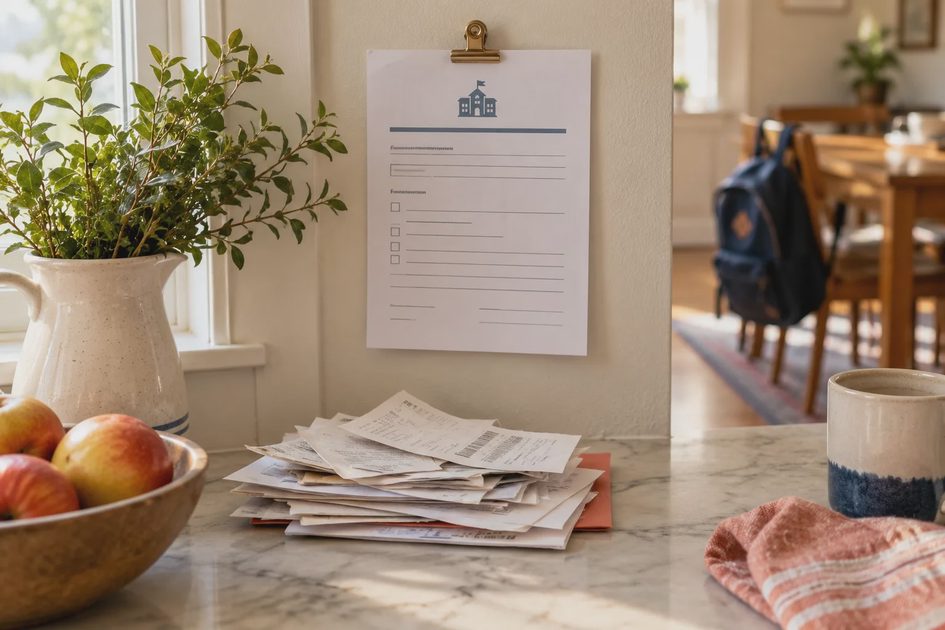
Not every download should pass through To Sort. If a new repair invoice clearly belongs in the appliance folder, put it there after checking its contents. Forcing a second transfer through the queue adds work without resolving uncertainty.
Use default destinations for recurring known documents. A scan project can save into its batch folder; a school attachment can go into the active event location. The default should be easy to change when the content differs from what you expected.
Browser downloads may still arrive in a common Downloads folder. That delivery route does not make them all pending records. Many are installers, temporary exports, or material with an obvious destination. Review the file itself rather than treating the source application as its permanent category.
The goal is fewer repeated decisions. A clear boundary between known-home files and unresolved files helps the queue remain small. It also lets another person process the queue without revisiting work that has already been decided.
A modeled queue of eight files
Imagine a household queue contains eight items: two school-form versions, one appliance receipt, a private appointment summary, a software installer, two inherited-photo scans, and a trip reimbursement document. These are hypothetical inputs chosen to show different decisions.
The appointment summary moves first to an appropriately restricted location. Its final subfolder can wait, but shared exposure should not. The reimbursement document gets an action reminder tied to its deadline and a recognizable travel home. It does not depend on a future sorting date.
The school forms are compared with the latest issuing message. One is current, and the other may need to remain as a clearly superseded record. The appliance receipt is identified by its contents and filed with the appliance. Neither needs a new general category.
The installer is examined for continuing purpose. If it is an ordinary replaceable download no longer needed and no other process depends on it, removal may be appropriate. The household does not use age alone to make that decision.
The two scans remain pending because a relative may identify the event. Their original batch relationship and source are preserved. A note names that specific question and a review occasion. After the session, the queue is smaller but not empty. That is a useful result, not a failure to finish everything.
Review by question, not by file age alone
Sort the queue into decision groups when it becomes hard to scan. Items requiring the same relative's input can be reviewed together. Versions from one event can be compared together. Files with known destinations can be cleared quickly after content checks.
A date can help identify stale uncertainty, but it should not become an automatic deletion rule. An old scan may be unique. A recent installer may be replaceable. The record's value and obligations matter more than how long it has sat in the queue.
Choose a modest session boundary: five files, one event, or one decision group. A review that ends with clear statuses is easier to resume than a long session that opens everything and leaves no notes.
For each item, decide one of four outcomes: file it, move it to a named project, keep it pending with a specific question, or remove it after appropriate checks. These are outcomes for the session, not mandatory labels to apply to every filename.
When you keep an item pending, identify the next condition for review. Waiting for an updated school message is different from forgetting the file. A review point can be an event or a person becoming available, not only a calendar date.
Separate a project backlog from everyday intake
Scanning a box of photographs creates a project with multiple stages: capture, context, quality checks, and preservation. Mixing hundreds of scans into a small household intake folder can make both systems unusable. Give the project its own named staging area and status note.
The same applies to migrating an old computer. Unknown folders, application files, and partial transfers require source accounting. A general pending folder cannot safely replace a migration record. Keep the source intact until the project understands what was transferred.
Use a short reference in the household map to show where the project lives. It can explain the source, destination, current stage, and responsible person. Another adult can then find the work without guessing which of several To Sort folders contains it.
A project should have a stable stopping point. For photo scans, that might mean a batch whose masters are checked and copied, with identification still pending. For documents, it might mean a current version located and the remaining historical versions awaiting review.
Keep pending material within the recovery plan

Temporary does not mean disposable. A queue can contain unique records whose value is still uncertain. Include it in the appropriate backup scope or ensure the original source remains usable while the decision is pending.
If the folder lives in synchronized storage, understand deletion behavior and available history. Moving or deleting a pending file may affect every device viewing the collection. A temporary destination still needs the same content and recovery checks as other important folders.
When material moves to a permanent location, confirm that the destination is included in protection. A backup configured for the old pending path may not follow a file moved elsewhere. Test a representative recent file through the actual recovery route after significant changes.
Do not create backup copies that are indistinguishable from unresolved live files. Record their role and date. Otherwise the queue can reappear during recovery as several equally plausible versions with no explanation.
Know when the queue is telling you the system needs repair
If the same kind of document repeatedly waits, the permanent boundary may be unclear. School records might be split between People and Household. Appliance documents might be scattered under Receipts, Warranties, and Repairs. The solution may be a clearer subject home rather than more frequent sorting.
If one person is the only one able to decide, document a few representative examples. Let another authorized adult route a small sample using the note. Their confusion can reveal terminology that is obvious only to the system's creator.
If every item requires research, narrow intake or create a separate project for the difficult collection. A queue designed for current attachments should not inherit the entire contents of an abandoned hard drive.
Set a practical capacity signal, not a punitive deadline. For example, if you cannot understand the queue in one short review, stop adding new known-home files to it and examine the recurring questions. The signal is about usability, not a claim that a particular file count is scientifically optimal.
Record decisions that should not be repeated
If a document's destination was difficult to decide, save one short example in the folder note after resolving it. Explain the deciding clue: the invoice belongs with the appliance because a future repair needs the history together. This helps the next person route a similar file without reading a long rulebook.
Keep examples general when the real record is sensitive. A note can explain that individual health records require restricted access without naming the condition or patient. Update the example when the system changes, and remove contradictory older instructions. The note should reduce uncertainty rather than create another source of competing versions.
Leave a queue you can resume
At the end of a review, the remaining files should be recognizable. Each should have a question, a protected location appropriate to its contents, and a next step that somebody can perform. Save the note where the authorized reviewer will actually look.
Do not aim for an empty folder by deleting uncertainty. Aim for a folder whose uncertainty is understandable. Keeping two unidentified scans while clearing six routine records can be a more responsible result than making every file disappear.
Start with five items today. Protect sensitive material, route urgent actions, file the obvious records, and write the question for what remains. A small pending folder can support ordinary life when it preserves decisions rather than postponing them indefinitely.
Comments
No comments yet — be the first to share a thought.